On Dynamic Choice color logic only accept one color ? Or the script is bad
switch text(this) do
case "High":
"#E74C3C"
case "Medium":
"#F39C12"
case "Low":
"#27AE60"
default:
"#95A5A6"
end
mirko3
gestern
Gemeldet - anzeigen
You can use the name in "Dynamic value name" in settings of the dynamic choice field. Mirko
switch "Dynamic value name" do
case "High":
    "#E74C3C"
case "Medium":
    "#F39C12"
case "Low":
    "#27AE60"
default:
    "#95A5A6"
end
Customer Support Ninox
uwe_groegor
vor 12 Stunden
Gemeldet - anzeigen
,
If a dynamic choice field only requires a few options, I wouldn't waste a whole table on it; instead, I would use a custom JSON object. In this case, it would look like this: [{id: 1, name: "Low", color: "#E74C3C"}, {id: 2, name: "Medium", color: "#F39C12"}, {id: 3, name: "High", color: "#E74C3C"}] This eliminates the need for an additional script to handle color settings. You can also extend the JSON to include icons. Example: [{id: 1, name: "Low", icon: "arrow downward alt", color: "#E74C3C"}, {id: 2, name: "Medium", icon: "arrow range", color: "#F39C12"}, {id: 3, name: "High", icon: "arrow upward alt", color: "#E74C3C"}]
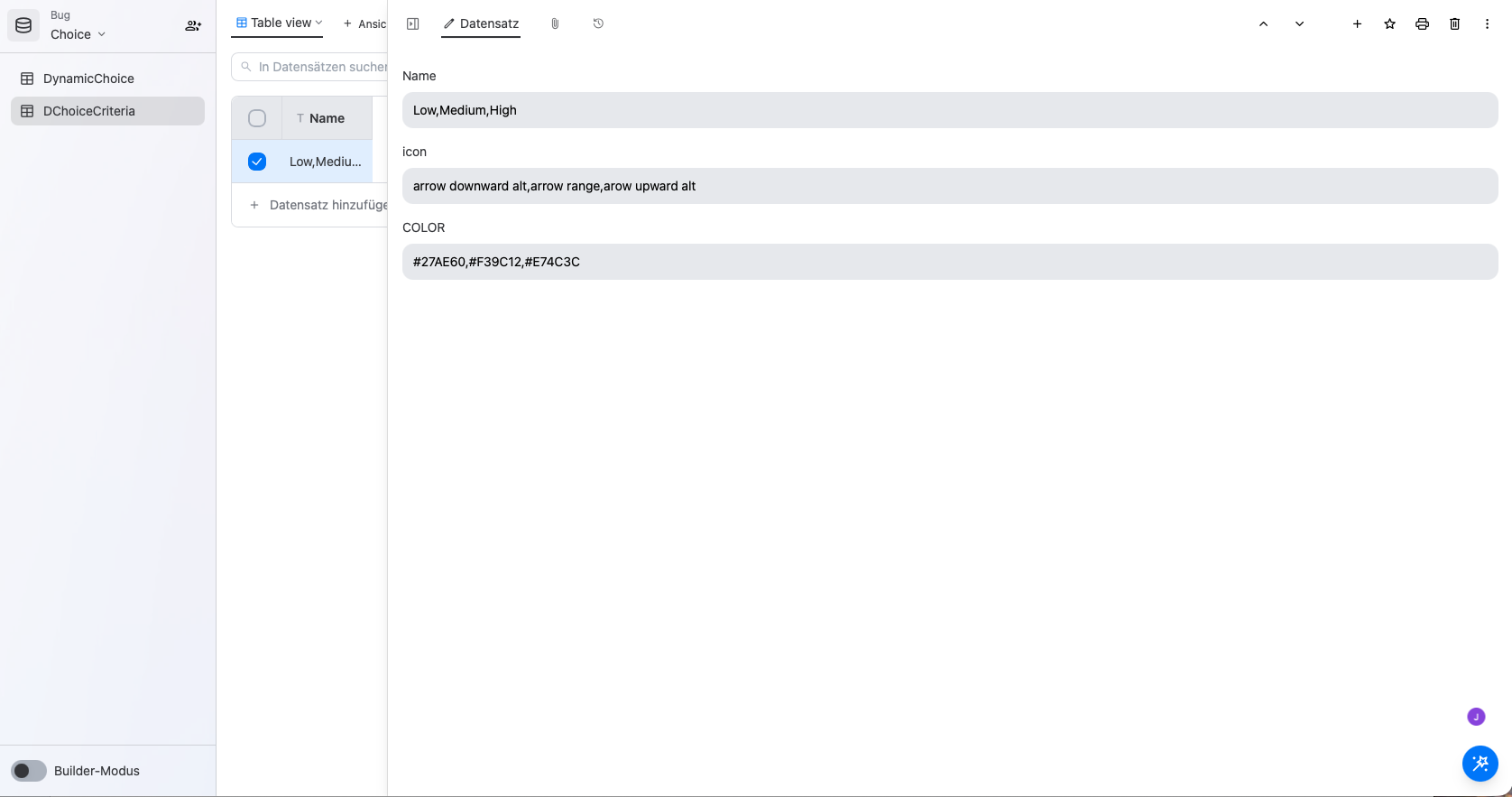
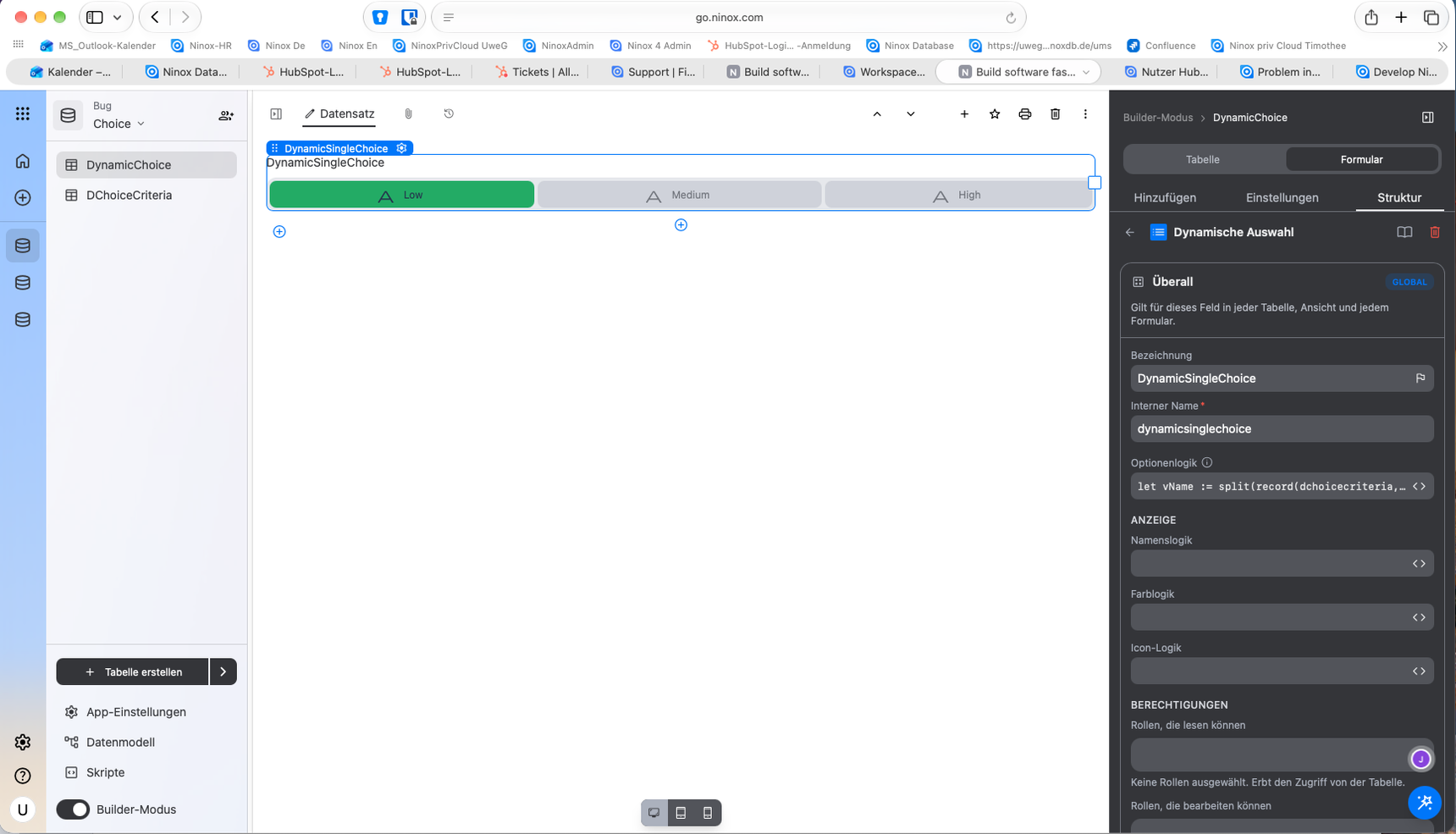
If you want more flexibility—for instance, to populate multiple dynamic choice fields across different tables with the same set of options—you can achieve this using centrally stored text fields. You simply create text fields for the name, the icon identifier, and the colors. Currently, there is no way to use "pages" as a central data source, so you must store this information in a record within a table—ensuring that this specific record is never deleted. Please note that there are still some display issues with certain icons.
For all dynamic choice fields that require only a few entries, one could create a single, centrally managed record—a solution that is easy to maintain.
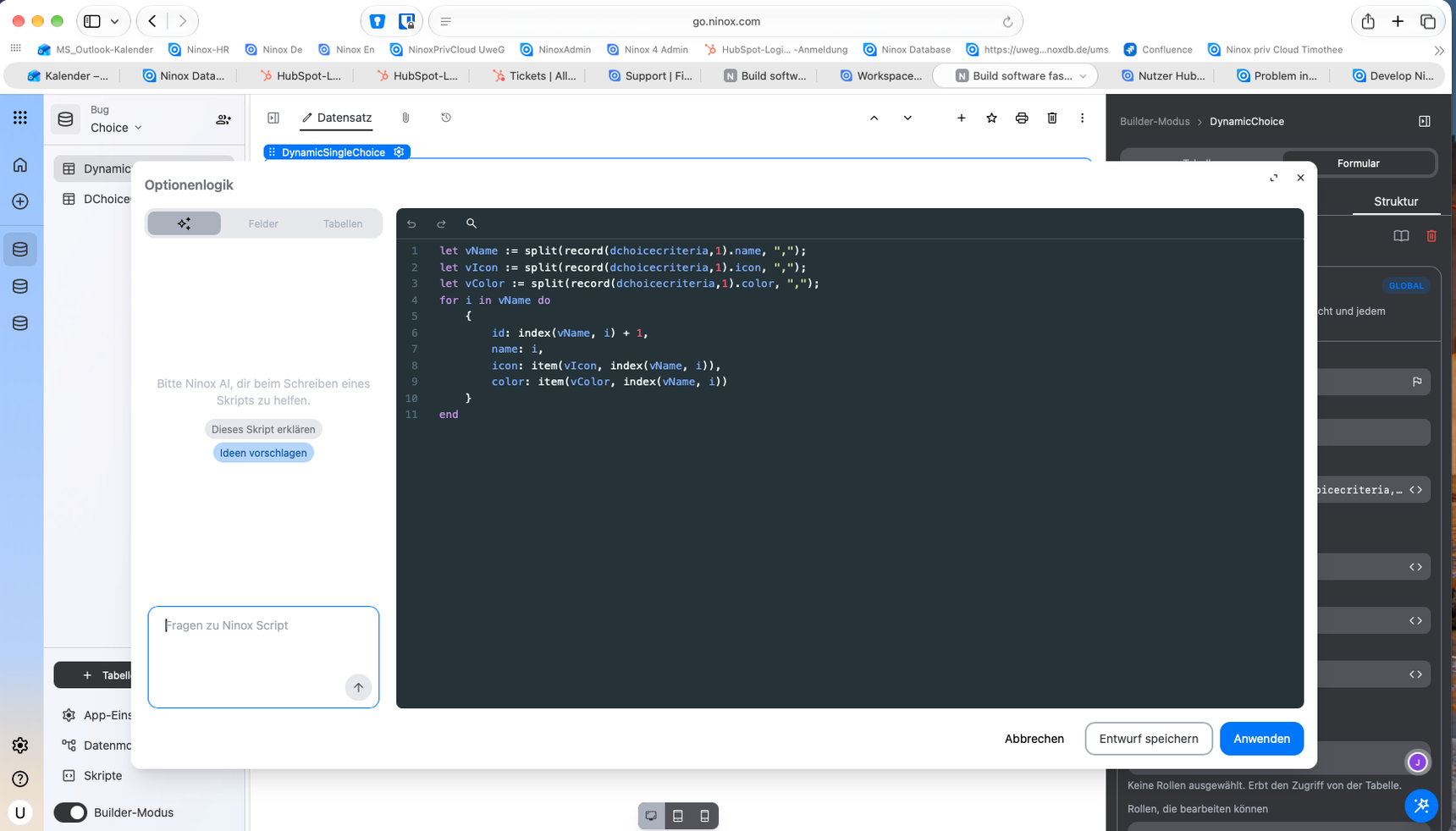
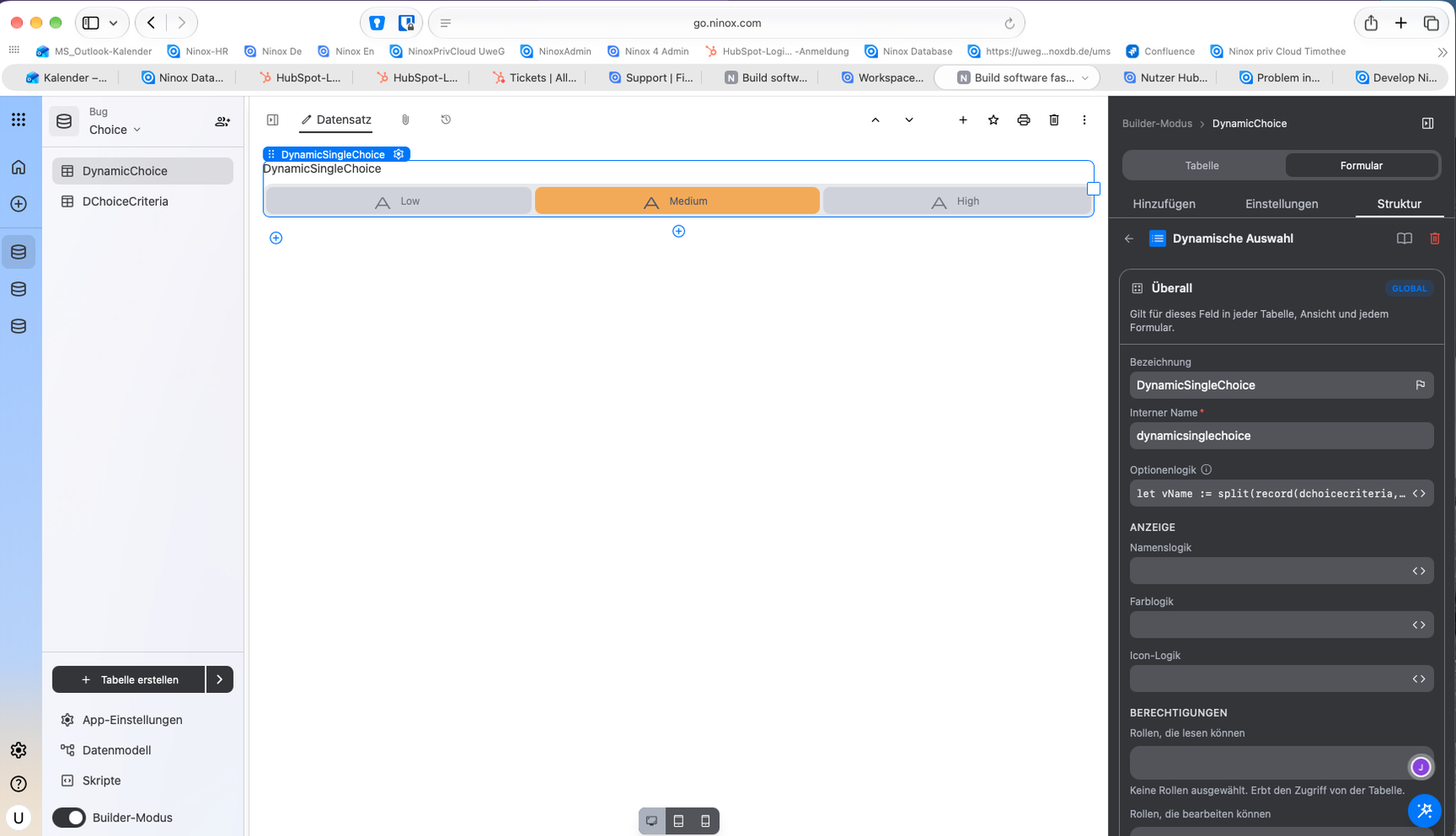
See the script and screenshots for illustration:
let vName := split(record(dchoicecriteria,1).name, ",");
let vIcon := split(record(dchoicecriteria,1).icon, ",");
let vColor := split(record(dchoicecriteria,1).color, ",");
for i in vName do
    {
        id: index(vName, i) + 1,
        name: i,
        icon: item(vIcon, index(vName, i)),
        color: item(vColor, index(vName, i))
    }
end