
Local variables silently override field values when their name matches a field's internal ID (Ninox 4, reproducible)
Hi
A script variable whose name matches a field's internal ID (A, B, C…) silently replaces that field's value. This happens case-insensitively, for direct field access AND for access through a record (rr.field). No error, no warning.
Minimal reproduction (Ninox 4, web, Builder mode):
1. New database, table "test".
2. Create 12 Number fields in this order: f01, f02 … f12 (internal IDs A … L).
3. Create 1 record with values 1 … 12.
4. Add a formula field "check":
let A := 1001; let B := 1002; let C := 1003; let D := 1004;
let E := 1005; let F := 1006; let G := 1007; let H := 1008;
let I := 1009; let J := 1010; let K := 1011; let l := 1012;
let rr := record(test, 1);
"Direct: " + join([text(f01), text(f02), … text(f12)], " ") +
" | Via record: " + join([text(rr.f01), text(rr.f02), … text(rr.f12)], " ")
Expected:
Direct: 1 2 3 … 12 | Via record: 1 2 3 … 12
Actual:
Direct: 1001 1002 … 1012 | Via record: 1001 1002 … 1012 (screenshot 1)
Note: the last variable is lowercase (let l), and field f12 (ID "L") still returns 1012 → the collision is case-insensitive.
Even more telling: after saving, the editor itself rewrites the field references. text(f01) becomes text(A), and rr.f12 becomes rr.l (screenshot 2). So field names are resolved to internal IDs, and those IDs collide with local variables.
Real-world impact: in a production app, a chart showed a constant value (70 = my layout variable "L") instead of the field ev_cum. It took hours to find, because nothing indicates the problem.
Questions:
- Is this known / intended?
- Could field references be protected from local variables, or could the editor at least show a warning when a variable name matches a field ID?
- Is there an official list of identifiers to avoid?
Workaround for others: never use single-letter variable names (or any name that could match an internal field ID).
"Environment: Ninox 4 cloud (web), Builder mode, Chrome PC and Chrome Android. Observed both in formula fields and in custom components. I can share the test database if needed."
Thanks!
2 Antworten
-
I rebuilt a minimal test (12 number fields f01…f12, so f12 = internal ID L; record f01 = 1001, f12 = 999):
• let l := 12; text(f01) + " " + text(f12) in a new field → 1001 999 ✅
• let L := 12; … → 1001 12 ❌ (uppercase collision)
• let rr := this; let l := 12; text(rr.f01) + " " + text(rr.f12) → 1001 999 ✅
• Saved first with L, then renamed to l → still 1001 12 ❌
So lowercase is fine in a fresh formula; my original case came from a formula that had been saved with an uppercase variable before. The dangerous part is that renaming the variable afterwards doesn't restore the field reference, so the formula stays silently broken.
Suggestions:
1. Warn in the editor when a variable name matches a field's internal ID.
2. Or block saving / keep the original field reference instead of rewriting it.
Tested on v4.0.160.
-
Grundsätzlich sollte man Variablen niemals mit nur einem oder 2 Buchstaben benennen.
Besser ist ein beschreibender Name, zumal bei sehr langen Scripten die Übersichtlichkeit extrem darunter leidet und man dann nicht mehr weiss, was die Variable darstellen soll.Sofern wir die in unseren Webinaren bei Kunden gesehen haben, haben wir auch auf die Problematik hingewiesen.
Das von dir genutzte Script habe ich auch mal in Ninox3 getestet.
Und dort tritt genau das gleiche Phänomen auf.
Ich habe dies bei den Entwicklern nachgefragt, ob es dazu eine Erklärung gibt und warte noch auf Antwort.
In Ninox3 wird bei Benutzung der ID statt des Feldnamens automatisch beim Speichern die ID durch den Feldnamen ersetzt.
In Ninox4 ist es erst garnicht möglich den Feldnamen durch die ID im Script zu ersetzen.
Es wird sofort ein Fehler angezeigt.
Hier ist nur der interne Name zulässig.
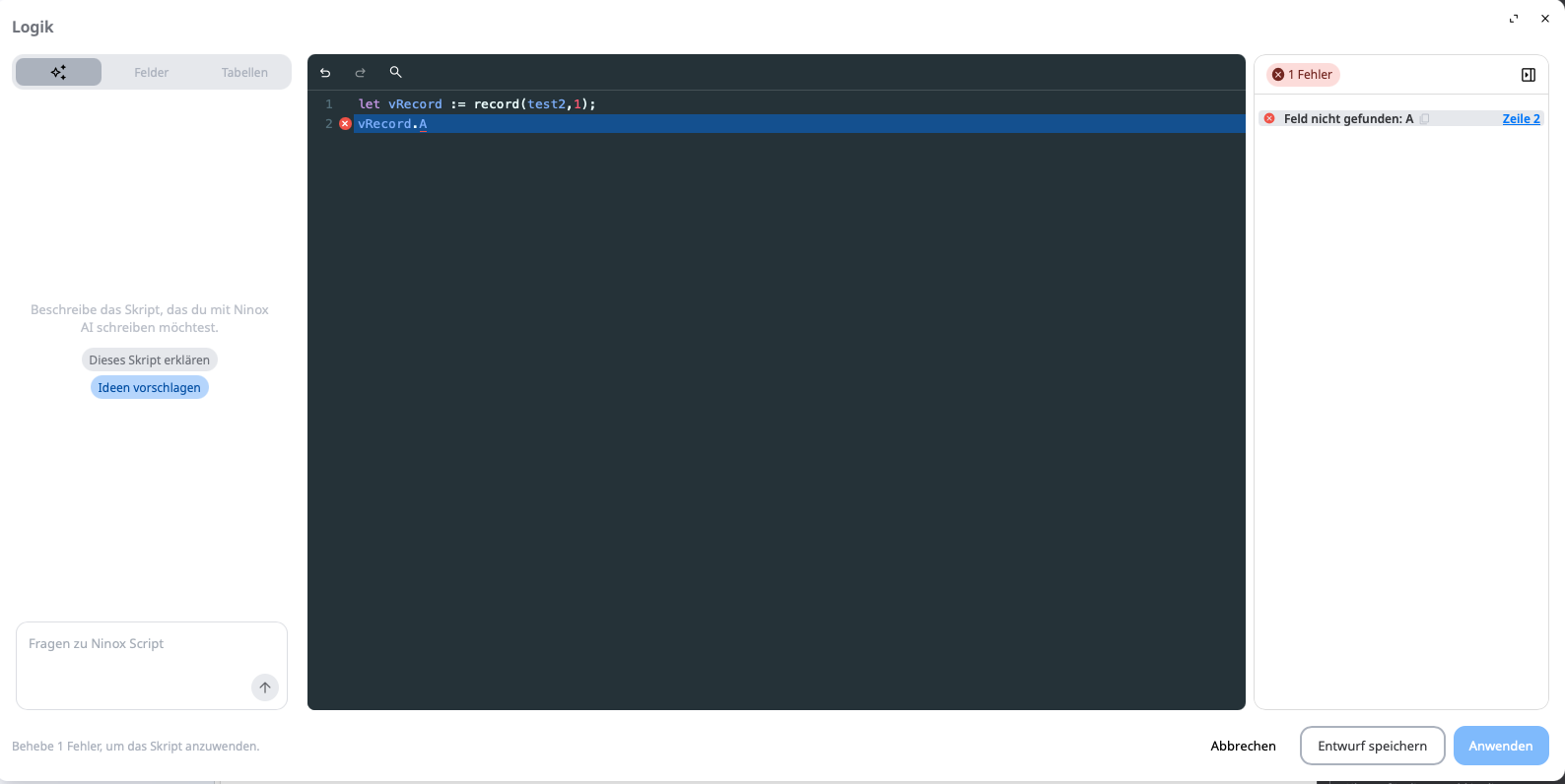
Wenn zuvor eine Variable deklariert wird, die der ID eines Feldes entspricht, wird die vermeintliche ID durch die deklarierte Variable substituiert.
Content aside
- vor 43 MinutenZuletzt aktiv
- 2Antworten
- 18Ansichten
-
2
Folge bereits